



MythosWin casino Login and Registration Guide for UK Players
Locked out, about to sign up or just curious how it all works? This page has you covered. We'll walk through creating an account, logging in on any device, fixing the problems that pop up most often and claiming a welcome offer once you're in. There's also a section on verification and on reaching support if something goes wrong.
Lots of players from the UK use the site, and the whole interface is in the English language. Balances are kept in USD. If you already have an account and you're only here because the login isn't working, feel free to skip straight to the troubleshooting part.
A few things to sort before joining MythosWin
Five minutes of prep now saves a lot of back and forth later. Mythos Win checks your details when you first withdraw, so it's worth getting them right from the start.
Have these ready before you open the form:
- an email address you can get into right now
- a mobile number for codes and alerts
- your full legal name, date of birth and home address
- a payment method that's in your own name
You need to be 18 or over, and it's one account per person. A second account in your name, or in the name of someone at the same address, can be closed and any winnings voided. It's also worth knowing up front that the brand doesn't hold a UK Gambling Commission licence and isn't part of GamStop. If you've self-excluded, please don't register.
Opening your MythosWin online casino account, step by step
The MythosWin sign-up form is short. Most people get through it in about three minutes:
- Go to the official site and press Sign Up in the top corner.
- Enter your email and create a password with letters, numbers and a symbol.
- Choose USD as your account currency.
- Fill in your first name, surname, date of birth and address as they appear on your ID.
- Add your phone number if the form asks for it.
- Pick a welcome bonus from the dropdown, or leave it blank if you don't want one.
- Tick the boxes to confirm your age and accept the terms.
- Press Create Account and look out for the confirmation email.
Click the link in that email to activate your account. Nothing after ten minutes? Check your spam or promotions folder first. You can also request a new link from the login screen.
Picking a password you won't regret
Your password guards both your balance and your personal data, so don't skimp on it. Go for at least ten characters and mix capitals, small letters, numbers and symbols. Never reuse a password from another site. If remembering them all sounds like a chore, a password manager can create and store a strong one for you.
Logging in to Mythos Win on any device
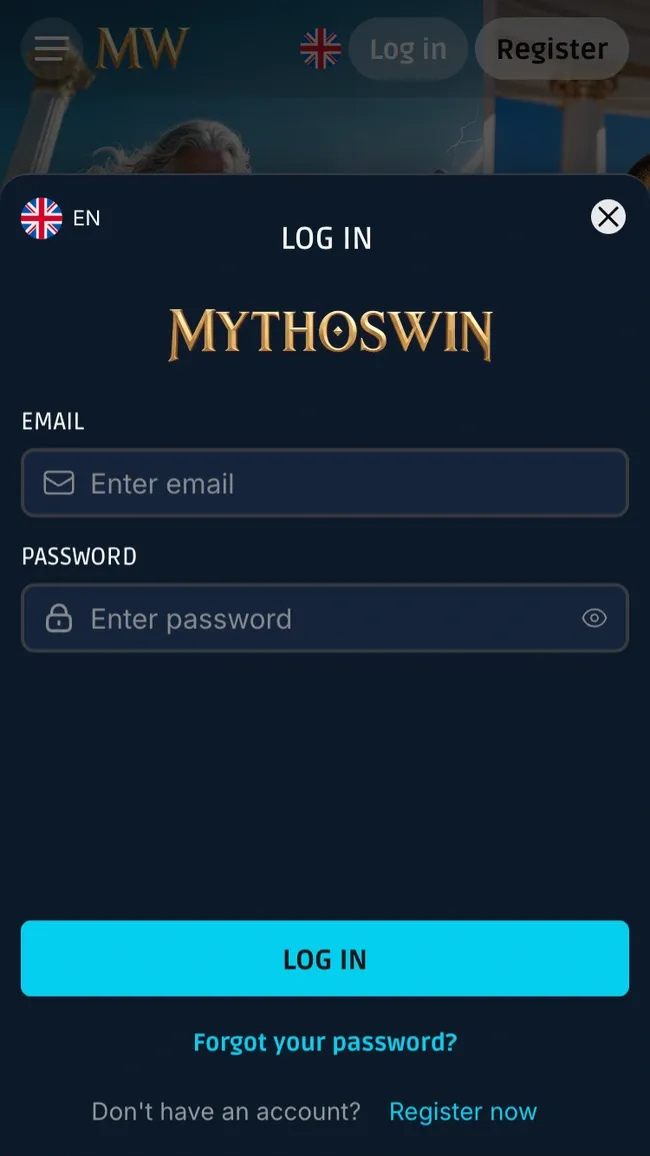
Once your account is active, getting into MythosWin casino takes seconds. The steps are pretty much the same on a laptop, a tablet and a phone:
- Open the official site in your browser.
- Press Log In, right next to the Sign Up button.
- Enter the email address you registered with.
- Type your password and press Log In again.
- If two-factor login is switched on, enter the code from your app or text message.
You'll land in the main lobby with your balance showing at the top. On mobile, the balance sits in the menu bar instead. Saving the site as a home screen shortcut means your next login is just one tap away.
Staying logged in without taking risks
Most browsers offer to remember your password. That's fine on a phone or laptop only you use, but not on a shared computer. Always log out after playing on a device other people can pick up. If the family shares a tablet, keep the casino out of its saved logins altogether.
When the MythosWin casino login won't cooperate
Most login trouble at MythosWin has a boring, easily fixed cause. Before you message support, run through the checks below. Nine times out of ten, one of them sorts it in a minute or two.
|
Problem |
Likely cause |
What to do |
|---|---|---|
|
"Wrong email or password" |
Typo, Caps Lock on, old password |
Retype slowly or use the reset link |
|
No reset email |
Spam filter or wrong address |
Check spam, then ask support |
|
Account blocked |
Too many failed attempts |
Wait 30 minutes or contact live chat |
|
Site doesn't load |
Browser cache or network block |
Clear cache, try another browser or network |
|
Two-factor code rejected |
Phone clock out of sync |
Sync time settings and request a new code |
If none of that helps, your account might be on hold for a security or verification reason. Support can tell you what's going on and what they need from you.
Resetting a forgotten password
Hit Forgot Password on the login form, enter your registered email and submit. A reset link should arrive within a few minutes, and it only works for a limited time, so don't leave it sitting there. Open it, set a new password and log in again. Lost access to that email? Contact support and be ready to prove who you are.
Logging in while travelling or on a VPN
The security system keeps an eye out for unusual logins. A sudden change of country, or a VPN hiding your real location, can trigger an extra check or a temporary block. Many offshore casinos also ban VPNs in their terms. If you're heading abroad, expect to be asked to confirm your identity again, and ask support before the trip whether playing from that country is allowed.
When the site won't open at all
Sometimes the page simply won't load. The usual culprits are a network filter, an old browser or a broken cookie. Try a private window first. If the site opens there, clear the cache and cookies in your normal browser. Switching from Wi-Fi to mobile data, or the other way round, often helps too. Some internet providers and workplace networks block gambling sites, and that's outside the casino's control.
Keeping your MythosWin account locked down
Your casino MythosWin account holds real money and personal data, so treat it the way you'd treat online banking. A few simple habits go a long way:
- Turn on two-factor login in the security settings if it's available.
- Glance at the login history in your profile now and then.
- Change your password straight away if you spot an unknown device or location.
- Never share your login details, not even with friends or family.
- Avoid public Wi-Fi unless you're on a VPN you trust.
If you think someone else has been in your account, contact support right away and ask them to lock it. They can end your sessions on every device and help you set a new password. The faster you act, the less damage anyone can do.
Limits you can set in your profile
Your profile is also where you set personal limits. Look for deposit limits, loss limits, session reminders and time outs. Setting one right after your first login is an easy way to stay in control from day one. Can't find the tool you want? Support can usually add the limit for you.
The welcome bonuses waiting once you're in
The welcome offers open up the moment your account at MythosWin casino online is active. There's no waiting period. All you need is a qualifying deposit:
- Welcome pack: 500% up to $40,000 + 500 free spins across several deposits.
- First deposit welcome bonus: 130% up to $3,500 + 130 free spins.
- Crypto welcome bonus: 140% up to $2,600 + 140 free spins.
- VIP welcome: 700% up to $28,000.
- Sports welcome: 150% up to $230 for MythosWin betting.
Only one welcome offer can be active, so choose it during sign-up or in the cashier before your deposit goes through. The casino deals suit slot fans, while the sports offer is for people who mostly bet on football, tennis or racing.
Every bonus comes with terms. Check the wagering requirement, the time limit, the maximum bet and which games count. Free spin winnings may have rules of their own. You'll find the full conditions in the promotions section, and in your profile once the bonus is active.
Getting your identity verified after you log in
Verification proves you are who you say you are. It also confirms your age and that the payment method is yours. Mythos Win casino usually asks for documents before your first withdrawal, though a check can start earlier.
These are the documents normally requested:
- A passport, driving licence or national ID card.
- A utility bill or bank statement no older than three months.
- Proof of payment, such as a card photo with the middle digits covered.
Upload them in the verification tab of your profile, where each file shows as pending, approved or rejected. Most checks are done within one to three days. Clear colour photos with all four corners visible get approved fastest.
How verification can affect logging in
Once in a while, an account gets limited until the documents are checked. You can still log in, but withdrawals or some games may be locked. If you see a pending verification message, upload your files as soon as you can. Ignoring it usually just means a longer hold.
Getting hold of MythosWin customer support
Support is there for login trouble, payment questions and bonus issues. Live chat is the only channel. It opens from a button on every page of Mythos Win, the login screen included. There's no support email, so even complex cases are handled in the chat. English support is the default.
Give the agent what they need in your first message: your registered email, a short description of the problem and any error text you see. A screenshot often saves several rounds of questions. Save the chat transcript when you're done, just in case you need it later.
A quick word on scams
Support staff will never ask for your full password, and they won't ask you to type card numbers into the chat. If anyone claiming to be from the casino asks for these details, don't reply. Report it through the official chat instead.
Login questions we get about MythosWin casino
Here are short answers to the questions people ask us most about signing in to MythosWin.
Can I register with a phone number instead of email?
The form usually asks for an email address. A phone number may be added as well, for security codes and alerts.
How many accounts can I have?
Just one per person and per household. Extra accounts can be closed and their winnings cancelled.
Why does it say my account is blocked?
Usually because of several wrong password attempts in a row. Wait a little and try again, or ask live chat to unlock it.
Do I get a bonus straight after registration?
Yes. The welcome offers are available as soon as your account is active, and you claim one with a qualifying deposit.
Is my login data safe?
The site uses SSL encryption, and two-factor login adds an extra layer. Keep your password to yourself and log out on shared devices.
Can I change my email address later?
Yes, but you'll usually need to contact support and confirm your identity before the change goes through.
I can't remember which email I used. What now?
Try the addresses you use most in the password reset form, because a reset email only arrives for a registered address. If none of them work, message live chat with your full name and date of birth, and the team can help you find the account after a short identity check.
Can I close my account myself?
Look for an account closure or self-exclusion option in your profile settings. If it isn't there, ask support in live chat to close the account and confirm it in writing. Withdraw any remaining balance first.